Case study · Telegram Mini App

Outreach — an outreach system inside Telegram

A Mini App that finds the target audience in niche Telegram chats, builds a contact base and handles the first touches: sends a personal message, waits for a reply, sends the next step and follows up with those who stayed silent. All replies land in one inbox, and a single toggle starts or stops all sending.

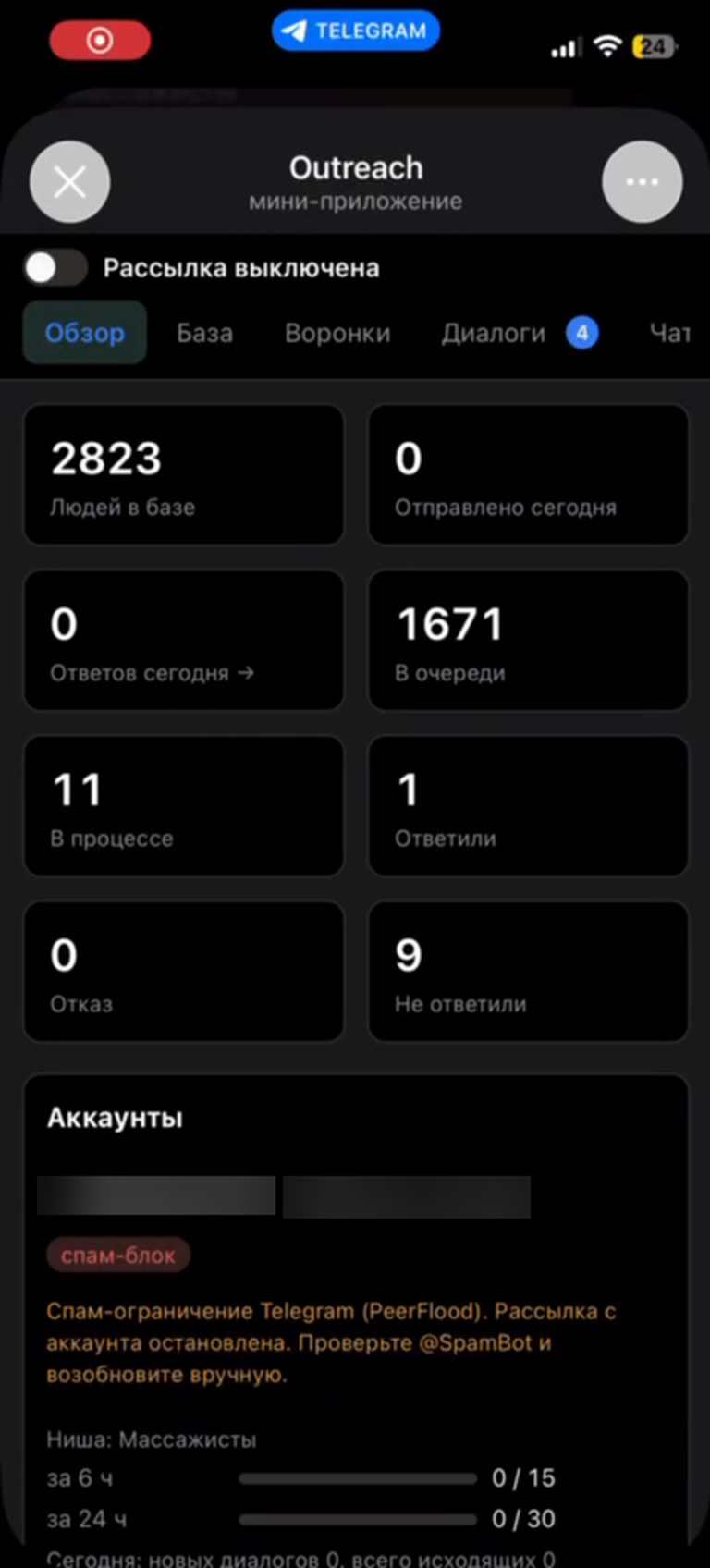
2,800+
contacts collected by the parser from niche chats — no manual search
1 toggle
starts or stops sending across all funnels
15 / 30
cold messages per 6 / 24 h per number — limits, pauses and a sending window
Telegram
managed from a Mini App: Telegram sign-in, works from a phone
The problem

Manual outreach eats the whole day and burns accounts

Finding clients in Telegram means hunting for niche chats, scrolling through members, messaging each one, remembering who needs a follow-up and when, and sorting replies across several numbers. Push too hard and Telegram issues a spam block — the number drops out of work.

Outreach takes over audience search, first touches and follow-ups, leaving only warm conversations to a human. Limits and pauses are built into every send.

Chat parser

The audience collects itself

Each niche has keywords and negative keywords. The app finds groups, joins them and collects members into the base. When the supply of fresh contacts runs low, auto-search runs more often — the base never runs out unexpectedly.

  • one keyword phrase per line, negative keywords for group names and links
  • contact supply and a forecast of how many days it will last
  • a dedicated number per niche — connected by code right from the panel
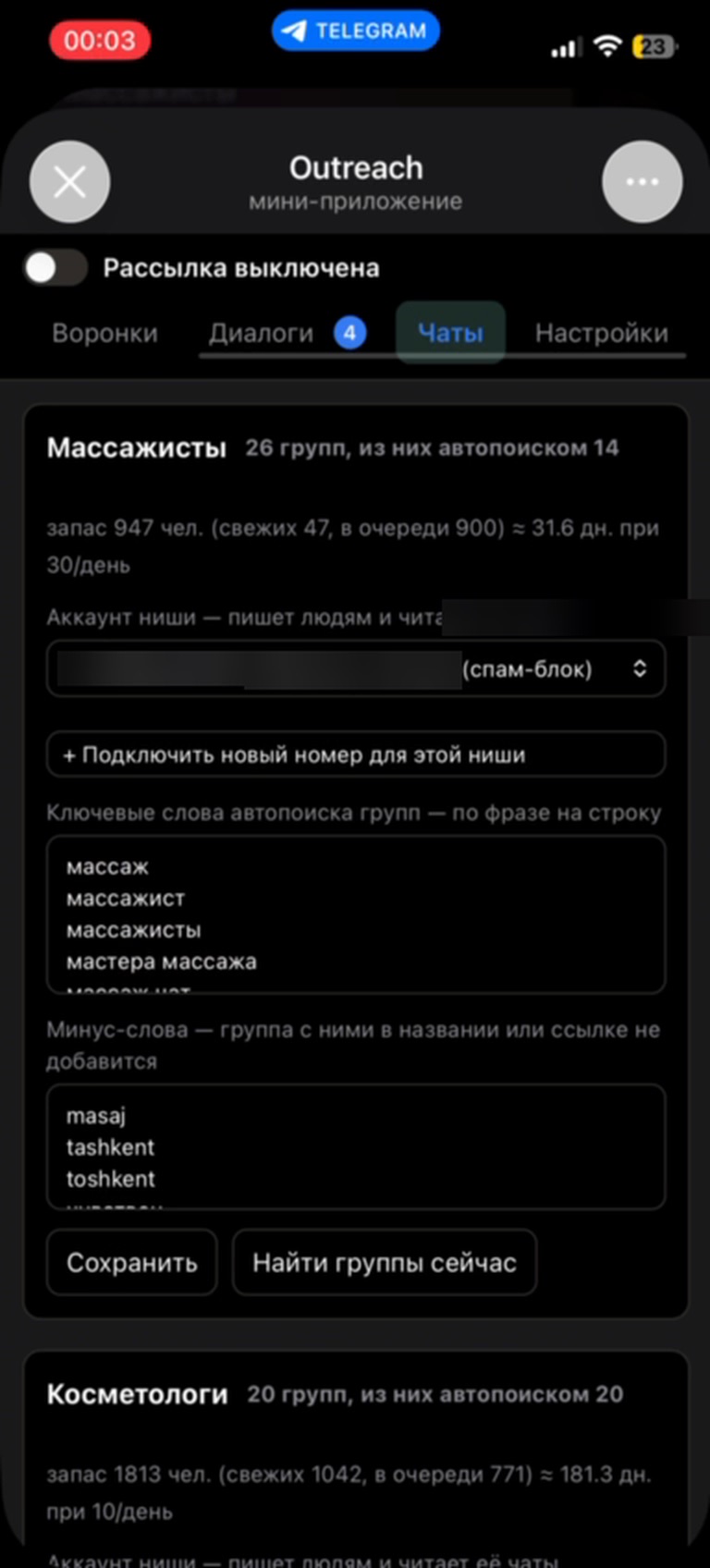
Chat parser: niche groups, contact supply and auto-search keywords
Contact base

Queue the right segment with one button

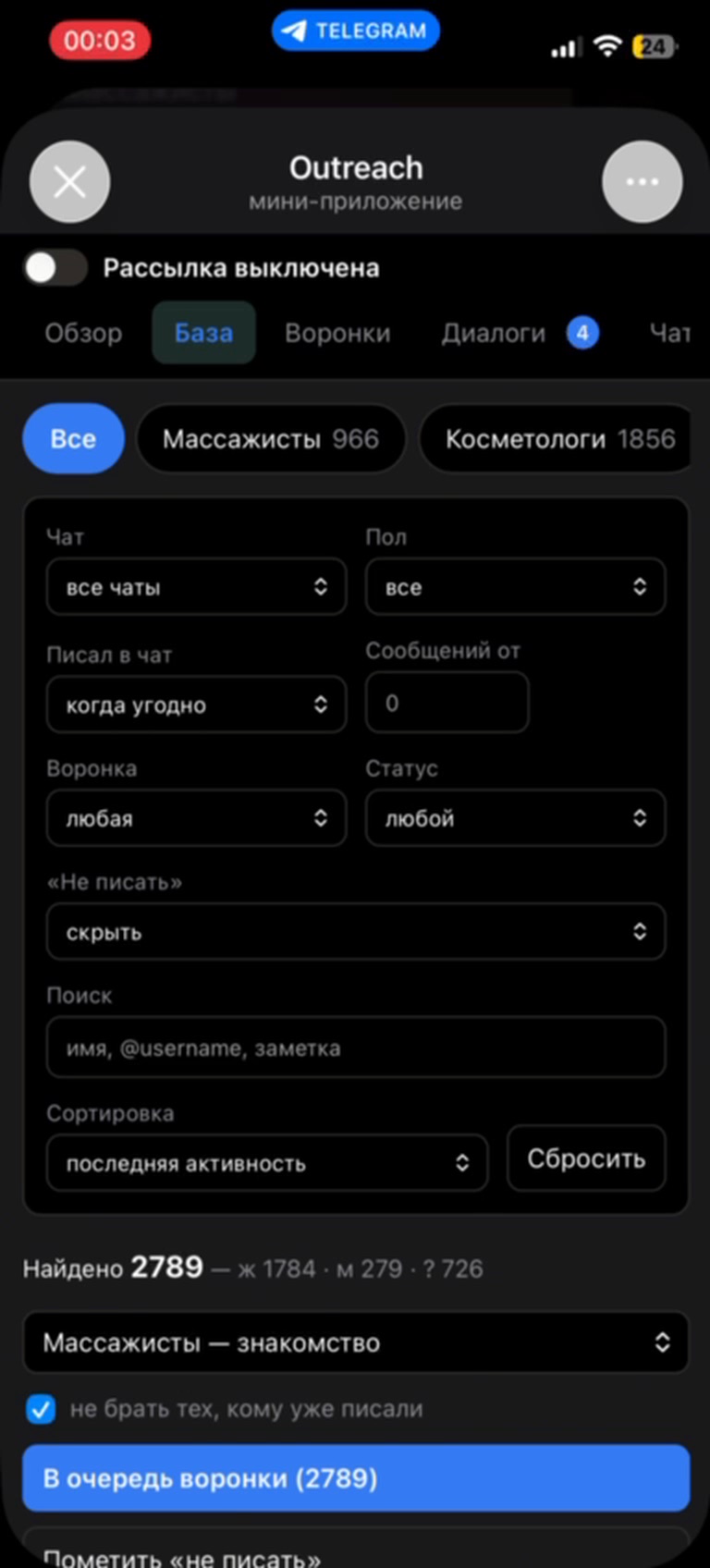
Contacts are grouped by niche. Filters by chat, gender, recent activity, message count and funnel status help pick who to message — and queue them in bulk.

  • search by name, @username or note
  • “skip people already messaged” and a “do not contact” flag
  • summary of matches with a gender breakdown
Contact base with niche segments and filters
Funnels

A message sequence for every niche

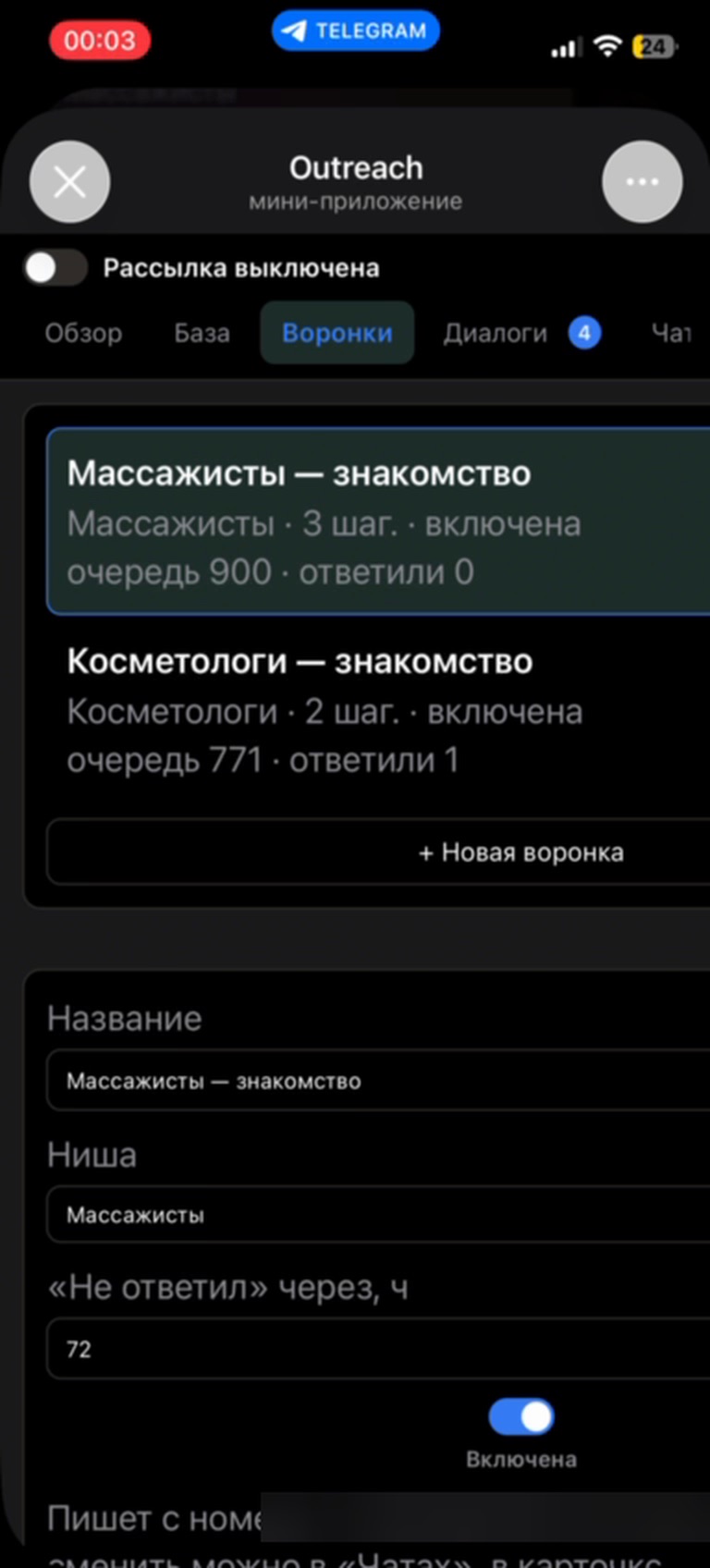
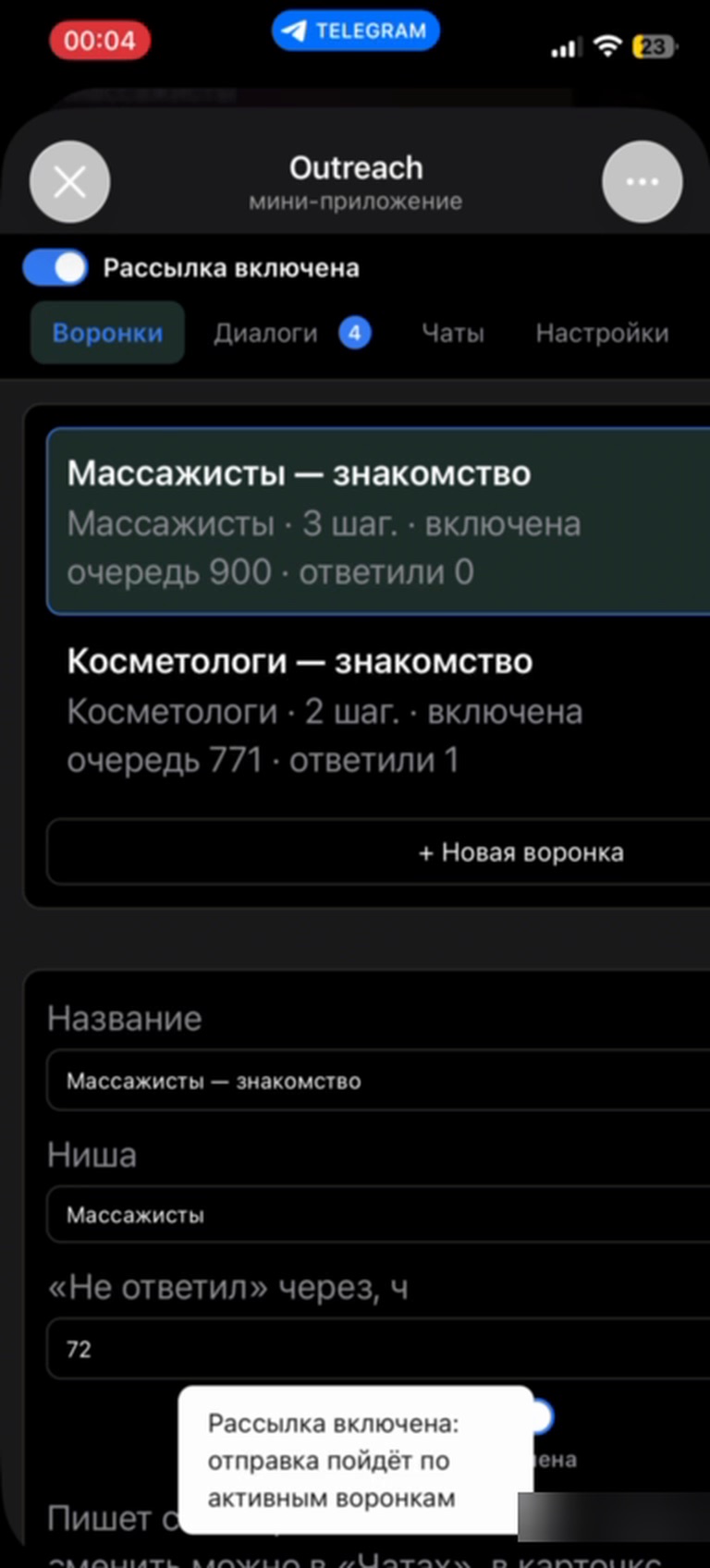
Several funnels for different niches, each showing its steps, status, queue size and how many people replied. The no-reply timeout and the sending number are set per funnel.

  • follow-up for those who haven't replied in N hours
  • each funnel switches on and off independently
  • statuses: queued, in progress, replied, declined, no reply
Funnel list with queue size and reply count
Steps and personalization

Personal, not spam

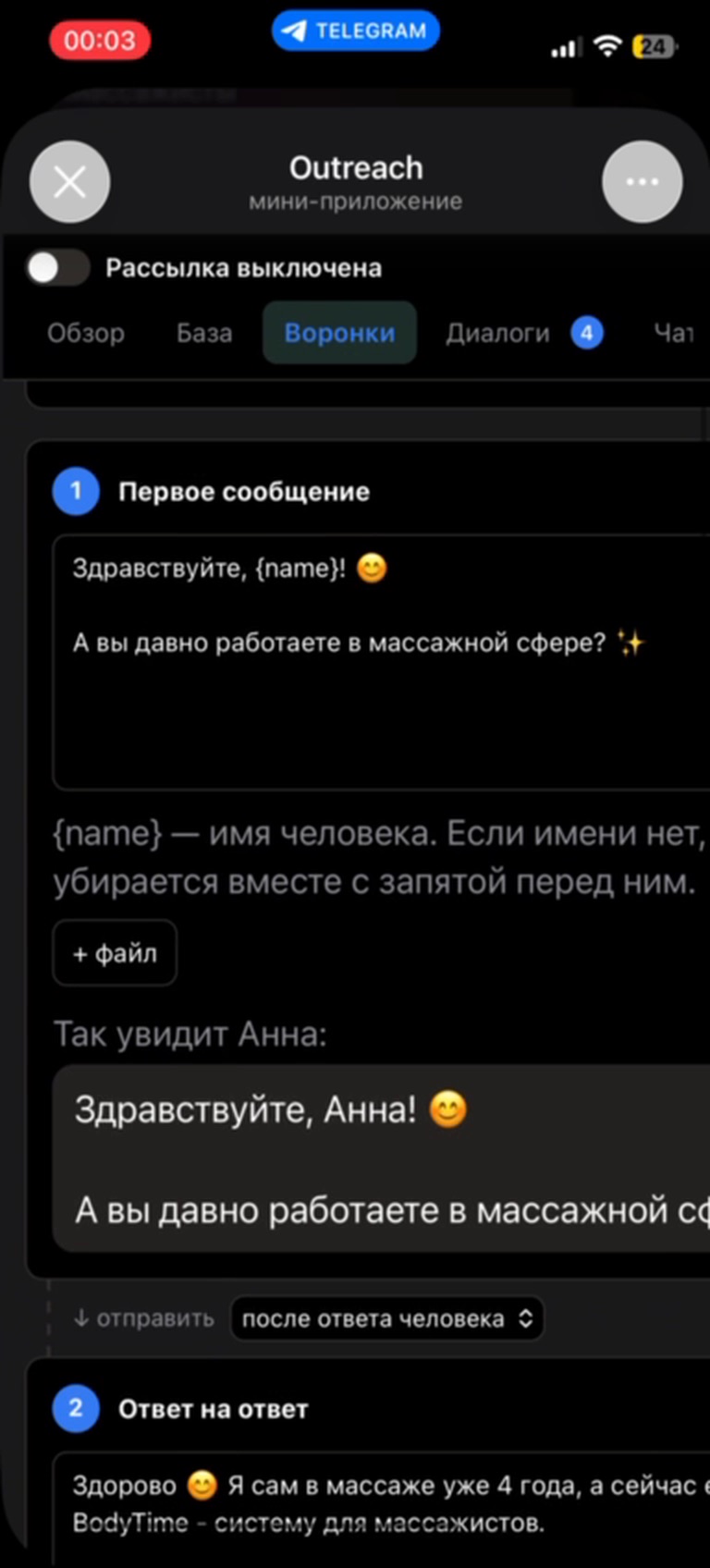
Step text supports a {name} variable: if there's no name, it's removed together with the comma before it. Files can be attached to any step, and a preview shows the message as the recipient will see it. Transition conditions build scenarios like “First message → Reply to reply”.

  • “How <name> will see it” preview
  • attachments on any step
  • next step after the person replies or on a timer
Funnel step editor with personalization and message preview
Dialogs

Every reply in one inbox

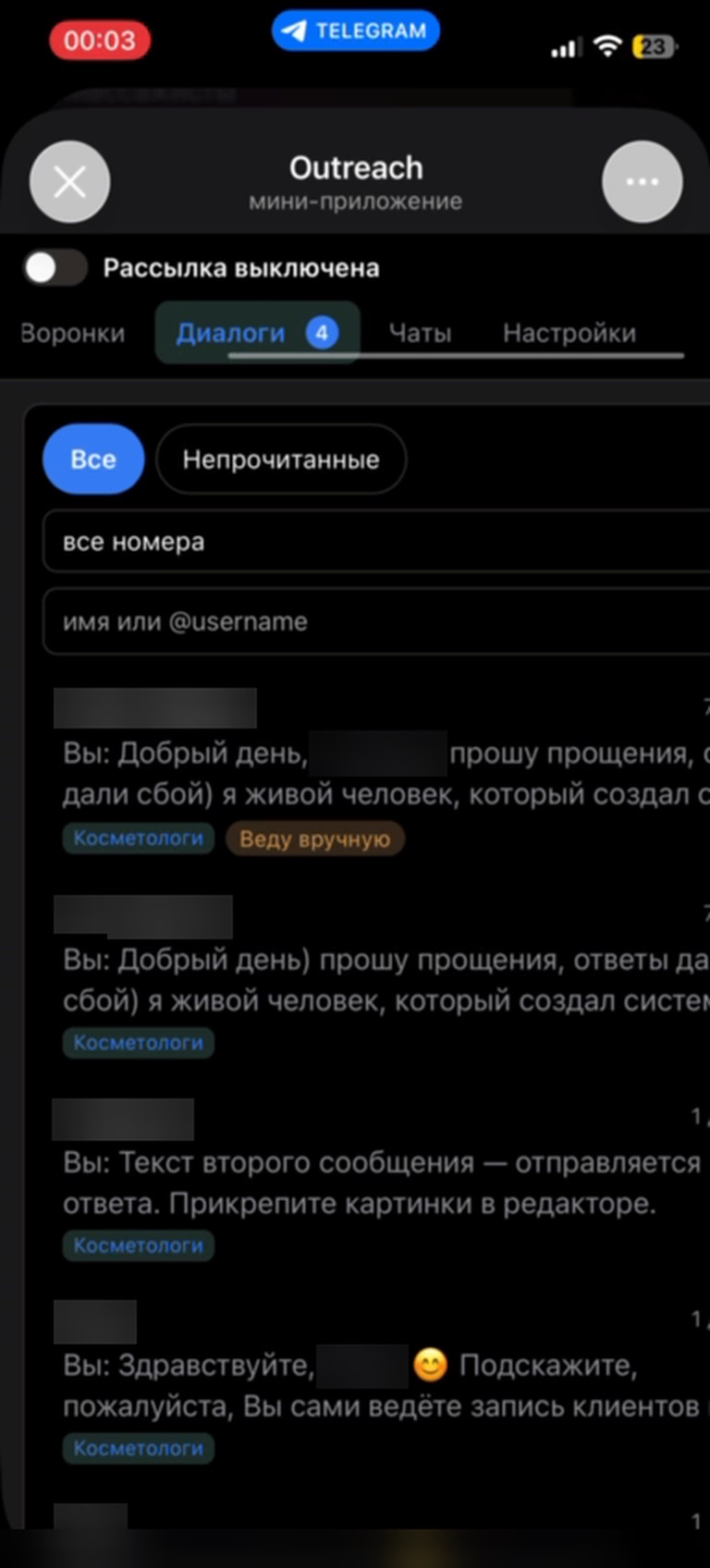
Conversations from all numbers in one feed, with niche labels and an unread filter. A hot conversation can be taken over: once marked “Handling manually”, automation stays out of it.

  • “All / Unread” filters and number selection
  • search by name or @username
  • take over a conversation in one click
Shared dialog inbox with niche labels and a “Handling manually” tag
Accounts and limits

Accounts stay protected

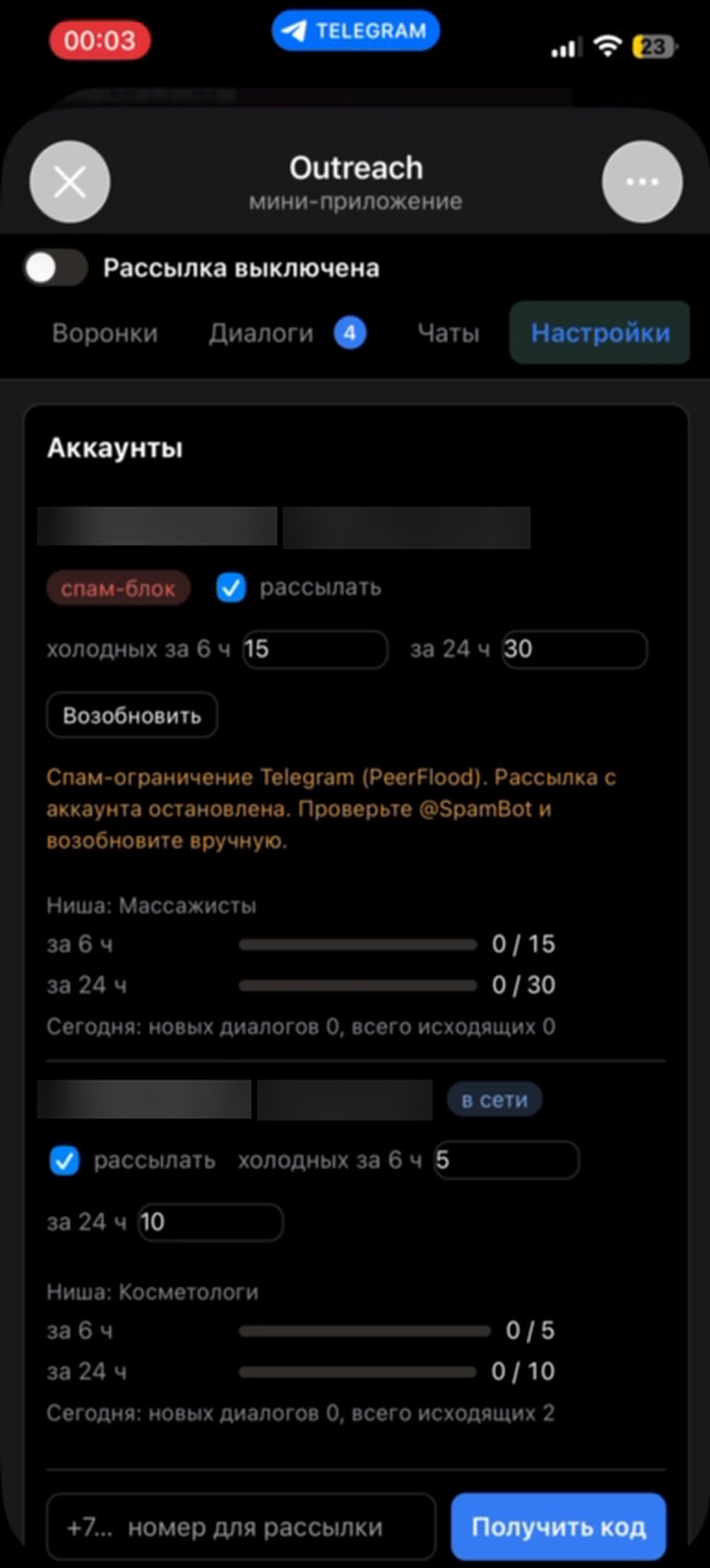
Each number has its own cold-message limits per 6 and 24 hours in sliding windows. If Telegram imposes a spam restriction, sending from that number pauses and the app explains how to check the status and resume.

  • limit usage and “online / spam block” status always visible
  • pauses for exactly the FloodWait time Telegram requires
  • checks for an existing conversation before the first message
Account settings: 6- and 24-hour limits and spam block status
Sending settings

Writes like a person, not a bot

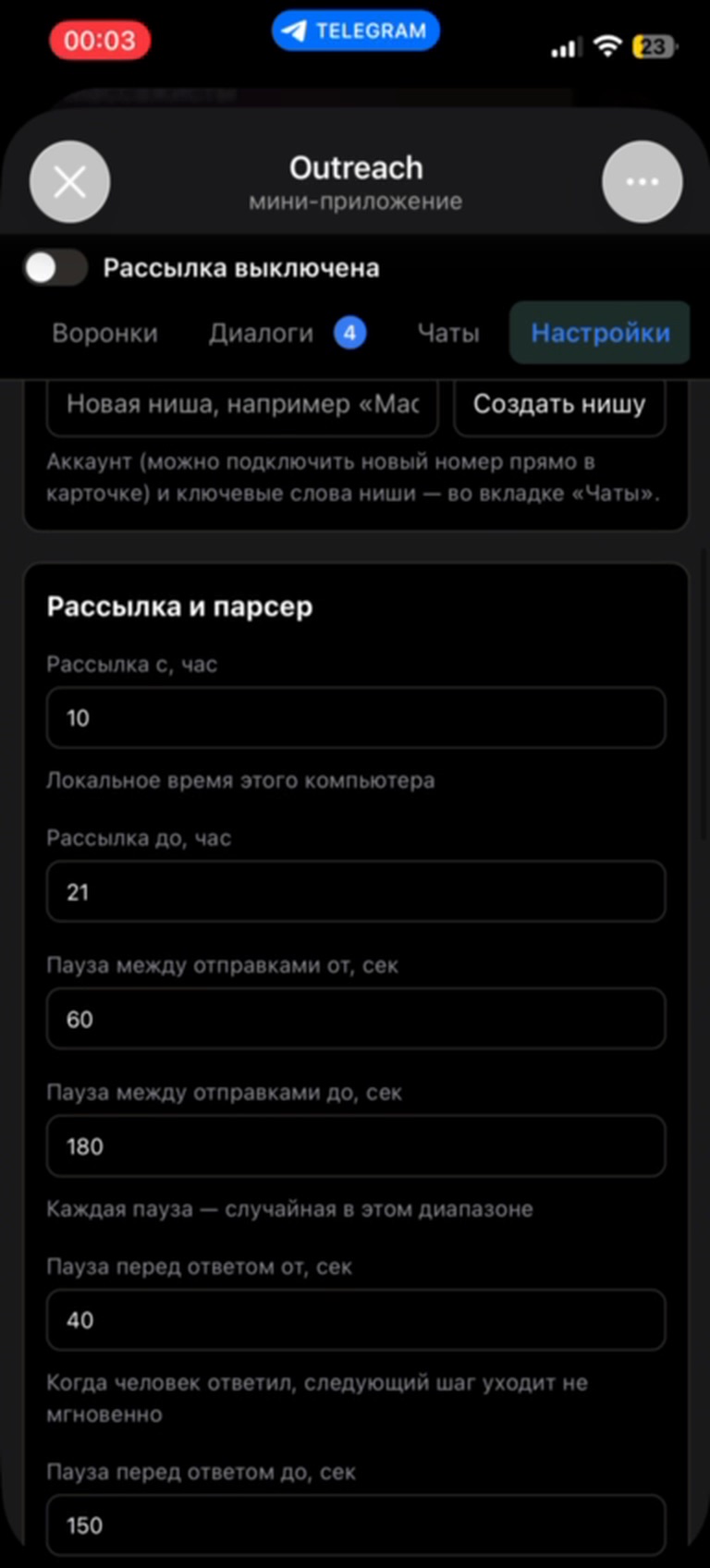
Messages go out only within a working window in local time, with random pauses between sends. A reply step isn't instant either — it waits a separate delay, like someone who read the message and is typing an answer.

  • working window, e.g. 10:00 to 21:00
  • random pause between sends, e.g. 60–180 s
  • separate pause before replying, e.g. 40–150 s
Sending settings: working window and random pauses
What was built

A working tool that runs outreach every day

Parser on the Telegram API

Finding and joining groups, collecting members, live chat messages and a rescan of the rest every 6 hours.

Funnel engine

Steps with files, “after reply” and “no reply in N hours” transitions, decline stop-words — those who decline are excluded from all funnels for good.

Anti-spam protection

Sliding per-number limits, FloodWait pauses, auto-stop on PeerFlood, working hours and random delays.

Smart auto-search

The system measures contact supply in days of sending and searches for new groups more often when it drops below a week.

Mini App on top of a bot

Telegram sign-in with data signature verification: the panel opens only for the owner, other accounts are rejected.

Multiple niches and numbers

A separate base, funnels and number per niche; the web panel, parser, sending and reply intake run as one process on the server.

Need Telegram automation for your business?

I'll build a Telegram bot, Mini App, parser or CRM around your processes — for lead generation, bookings, sales or support. Describe your task on Telegram and I'll suggest options and an estimate.

Message me on Telegram