Case study · CRM and Telegram Mini App

BodyTime — massage CRM inside Telegram

A workspace for massage therapists and online booking for their clients — in one app inside Telegram. The practitioner signs up in a couple of minutes, sets up services and schedule with guided hints and sends clients a link. Clients book in a few taps without installing anything or creating an account. The international version is Massiko; the screens below show the Russian UI.

2 roles
practitioner and client in one app — Telegram tells who's signed in
< 2 min
from first launch to a ready booking link — three guided steps
0 installs
clients book right inside Telegram — no app store, no sign-up
14 days
of free trial right after sign-up
The problem

Massage therapists work with their hands — no time to answer messages

Clients message in DMs, wait for a reply while the therapist is in a session, and go to whoever answers first. The schedule lives in a notebook, reminders are sent by hand, and clients don't want to install yet another booking app.

BodyTime moves booking to where clients already are — Telegram. The practitioner sets everything up in a few minutes, and from then on clients book on their own.

Practitioner and client

One app — two roles

A client opens the Mini App and sees their appointments. The practitioner opens the same bot and gets a workspace: bookings, schedule, clients and settings. The role comes from the Telegram account, so nobody has to remember a password.

  • “My appointments” for clients, “Practitioner workspace” for practitioners
  • Telegram sign-in, no login or password
  • the same workspace on the website from a computer
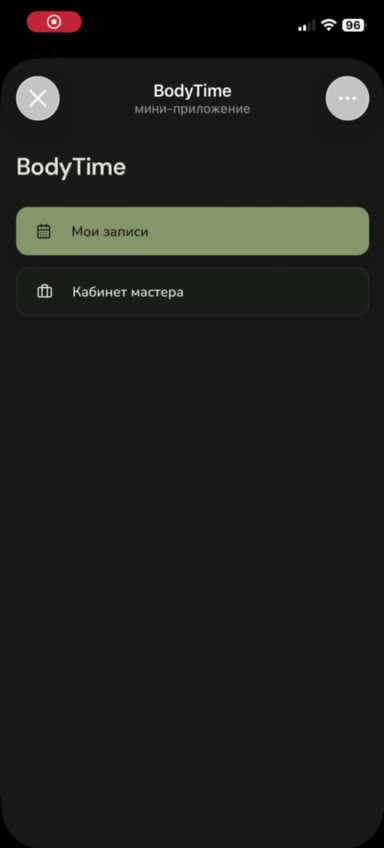
Mini App menu: “My appointments” and “Practitioner workspace”
One bot for everything

Booking notifications arrive where the workspace opens

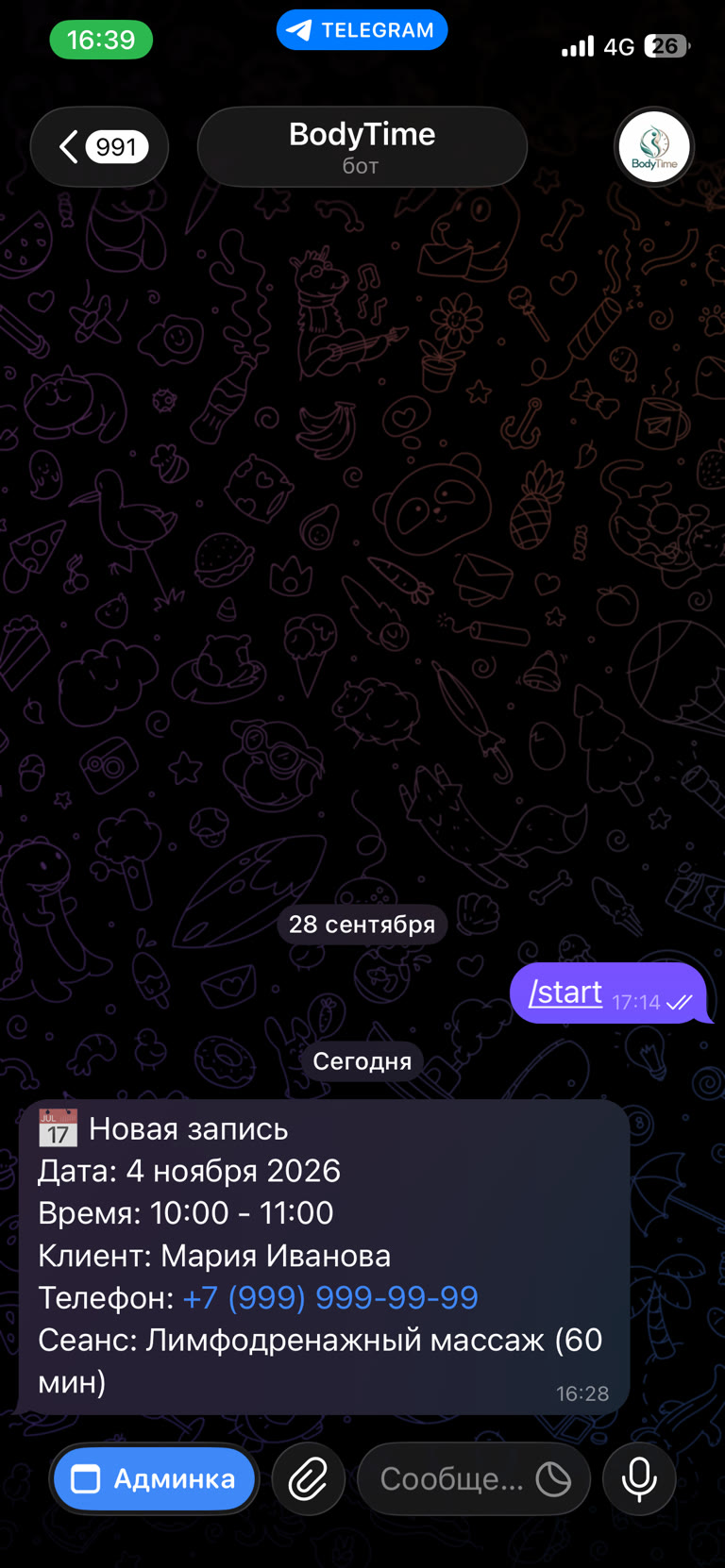
A new booking lands in the practitioner's bot chat instantly: date, time, client, phone and service. Below it is the “Админка” (Admin) button — one tap opens the workspace on top of the chat. Clients don't see this button; the bot sends them confirmations and reminders instead.

  • new booking notification with the client's phone
  • the “Админка” menu button is for the practitioner only
  • no separate app or website tab needed
New booking notification in the BodyTime bot chat with the “Админка” (Admin) button
Sign-up

A practitioner account — right inside Telegram

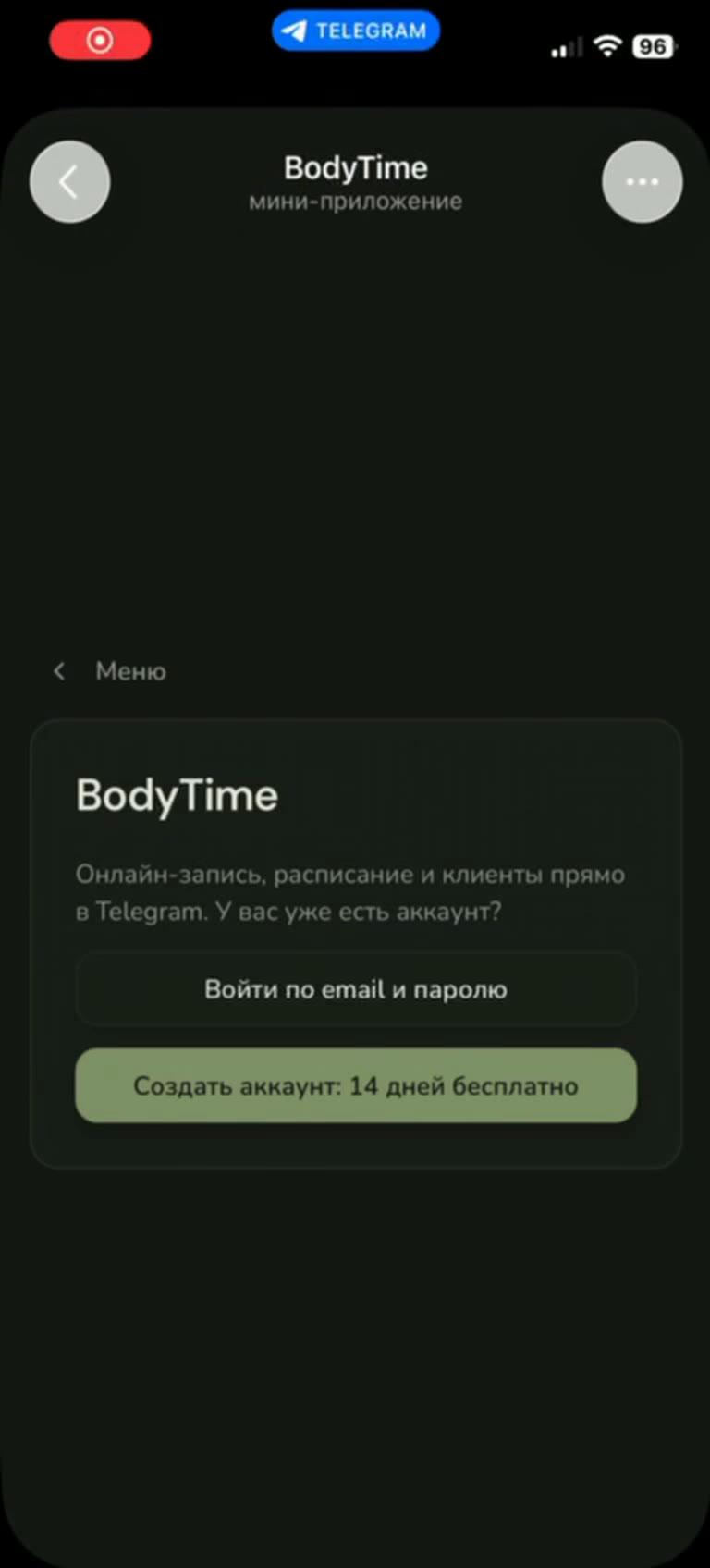
The practitioner opens the bot, enters an email and gets a one-time code — no password to invent. A 14-day trial starts right away with no auto-charge: the practitioner picks a plan only if they decide to stay.

  • email-code sign-in, no password
  • 14 days free, no card required
  • already have a website account — sign in with email and password
BodyTime start screen in Telegram: sign in or create an account
Step 1 of 3 · Service

Hints instead of a manual

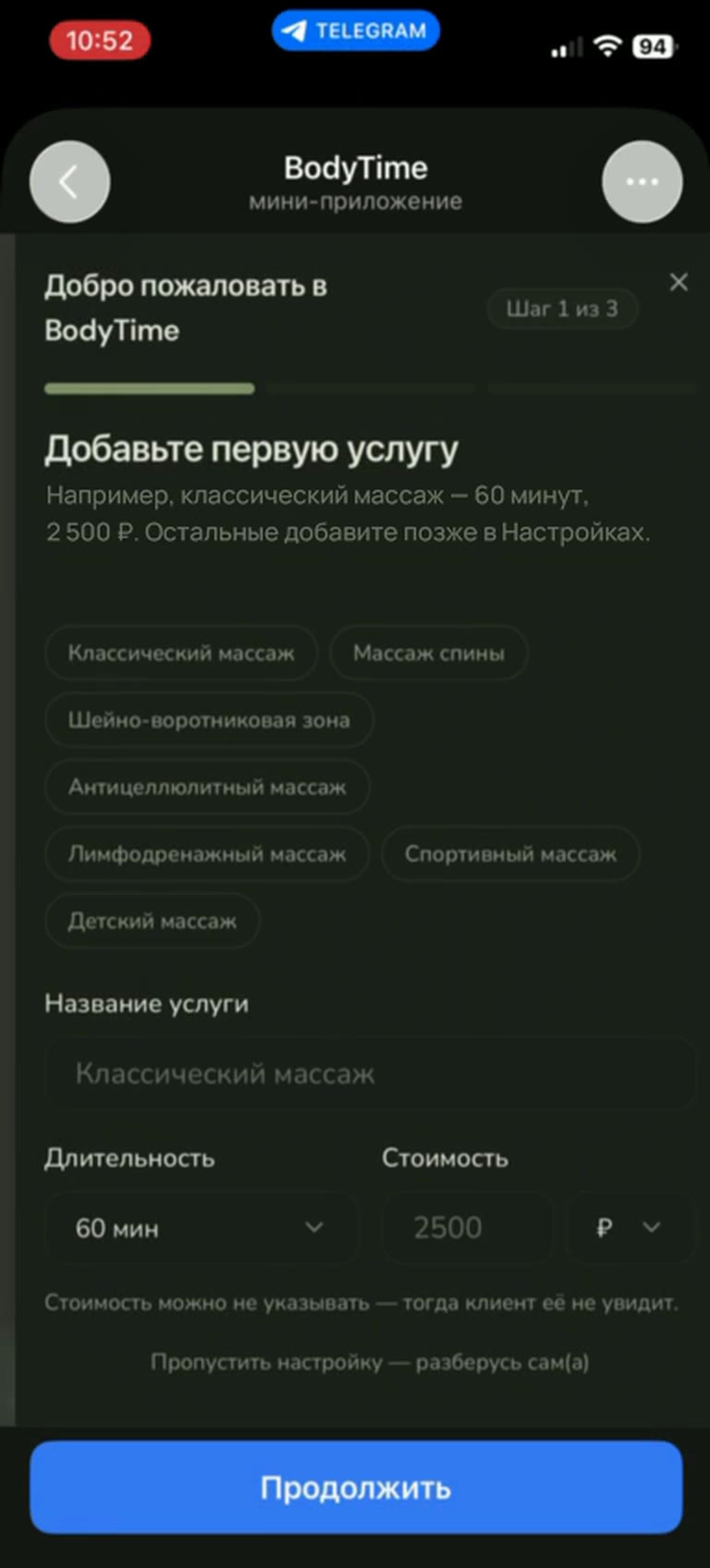
Onboarding walks the practitioner through step by step. The first service is picked from ready-made templates, with duration and price set in a couple of taps. Other services can be added later in settings.

  • templates: classic, back, neck and shoulders, anti-cellulite, lymphatic drainage, sports, kids' massage
  • price is optional — if empty, clients won't see it
  • any step can be skipped and figured out later
Onboarding step 1: choosing the first service, duration and price
Step 2 of 3 · Schedule

Working days and hours — and the schedule is set for 3 months

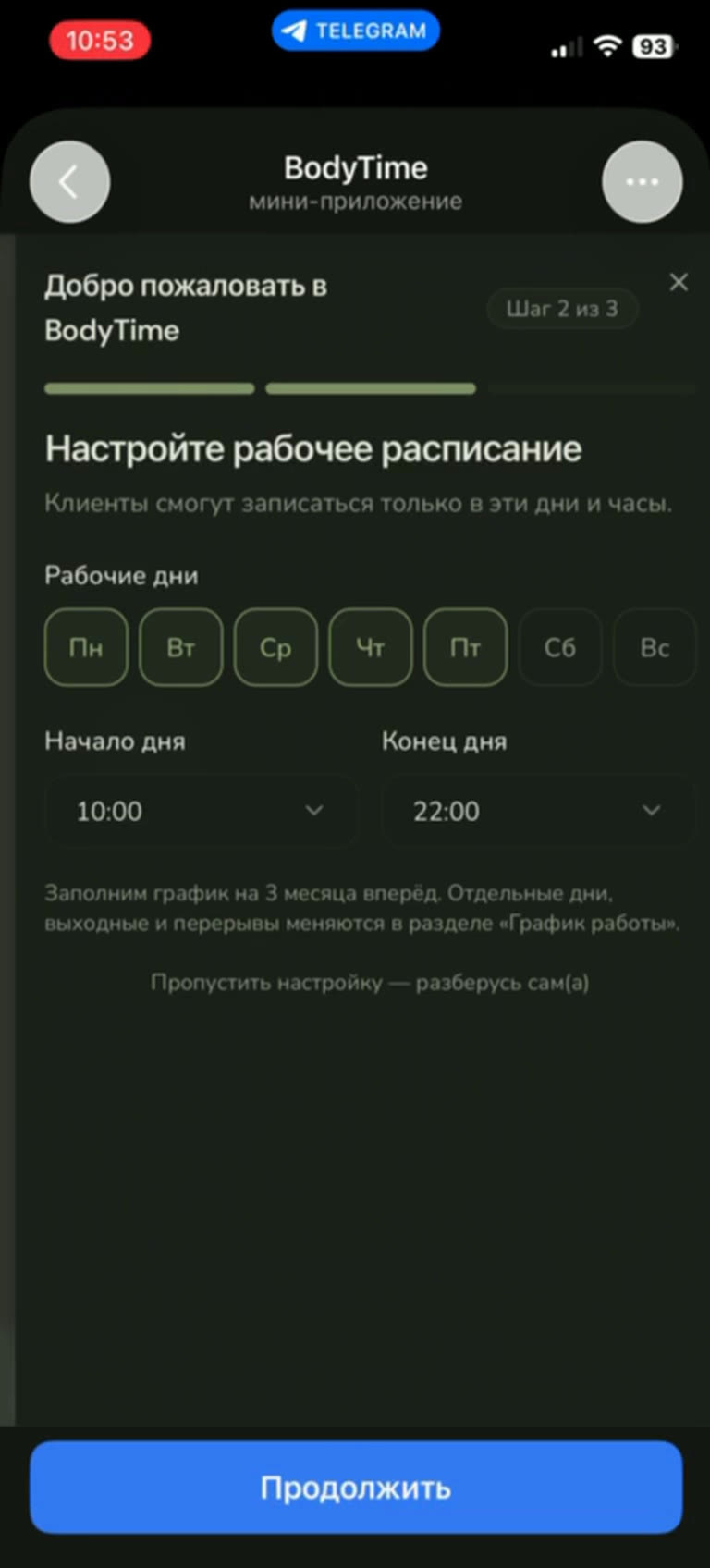
The practitioner marks working days and the start and end of the day. The schedule fills three months ahead right away; individual days off and breaks are changed later in “Work schedule”.

  • working weekdays in one tap
  • start and end of the working day
  • clients only see these days and hours
Onboarding step 2: working days, start and end of the day
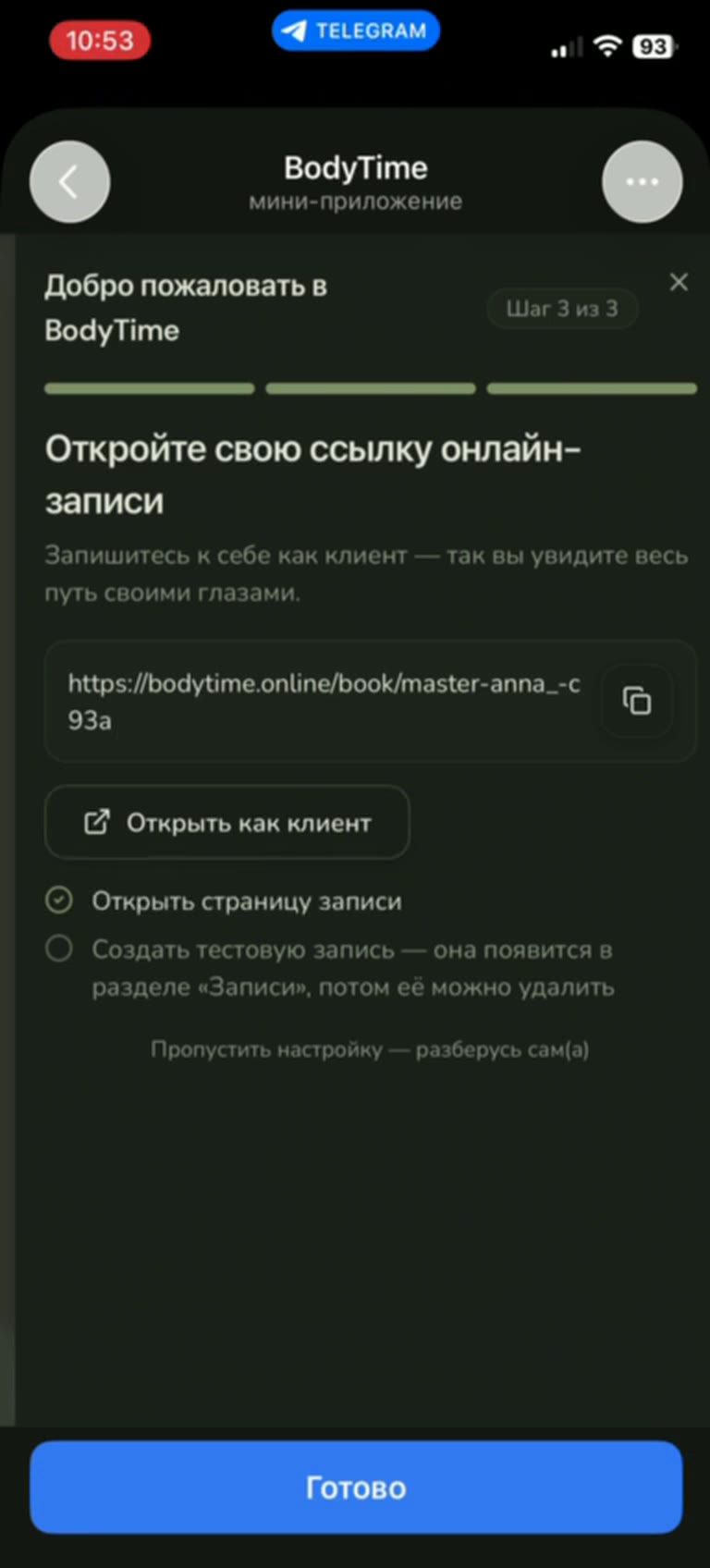
Step 3 of 3 · Link

A personal booking link — checked through the client's eyes

The practitioner sets the name clients will see and gets a link to their booking page. It can be opened as a client right away, or used for a test booking to walk the whole path before the first real client.

  • a personal link like bodytime.online/book/…
  • “Open as client” in one tap
  • the test booking appears under “Appointments” and can be deleted
Onboarding step 3: a ready online booking link
Practitioner workspace

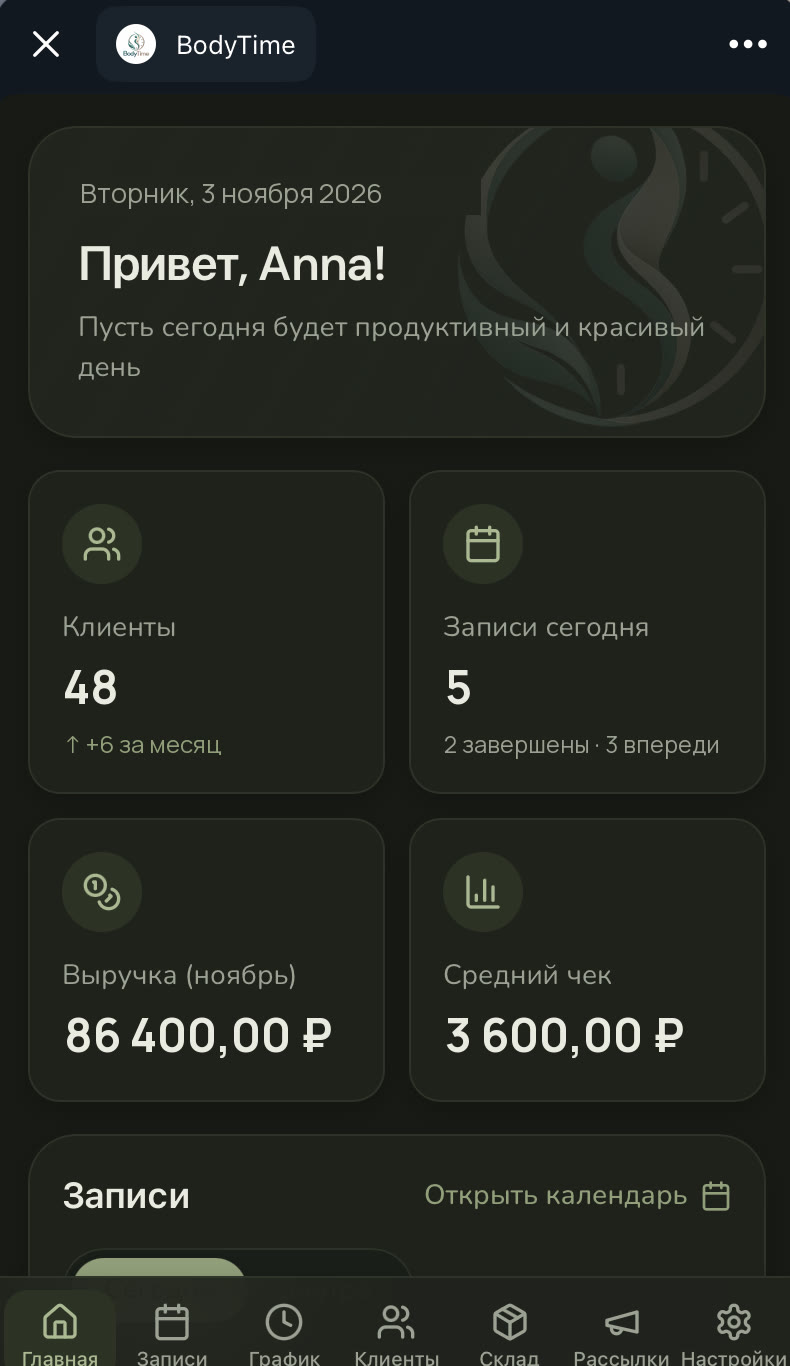
The day's key numbers — right on entry

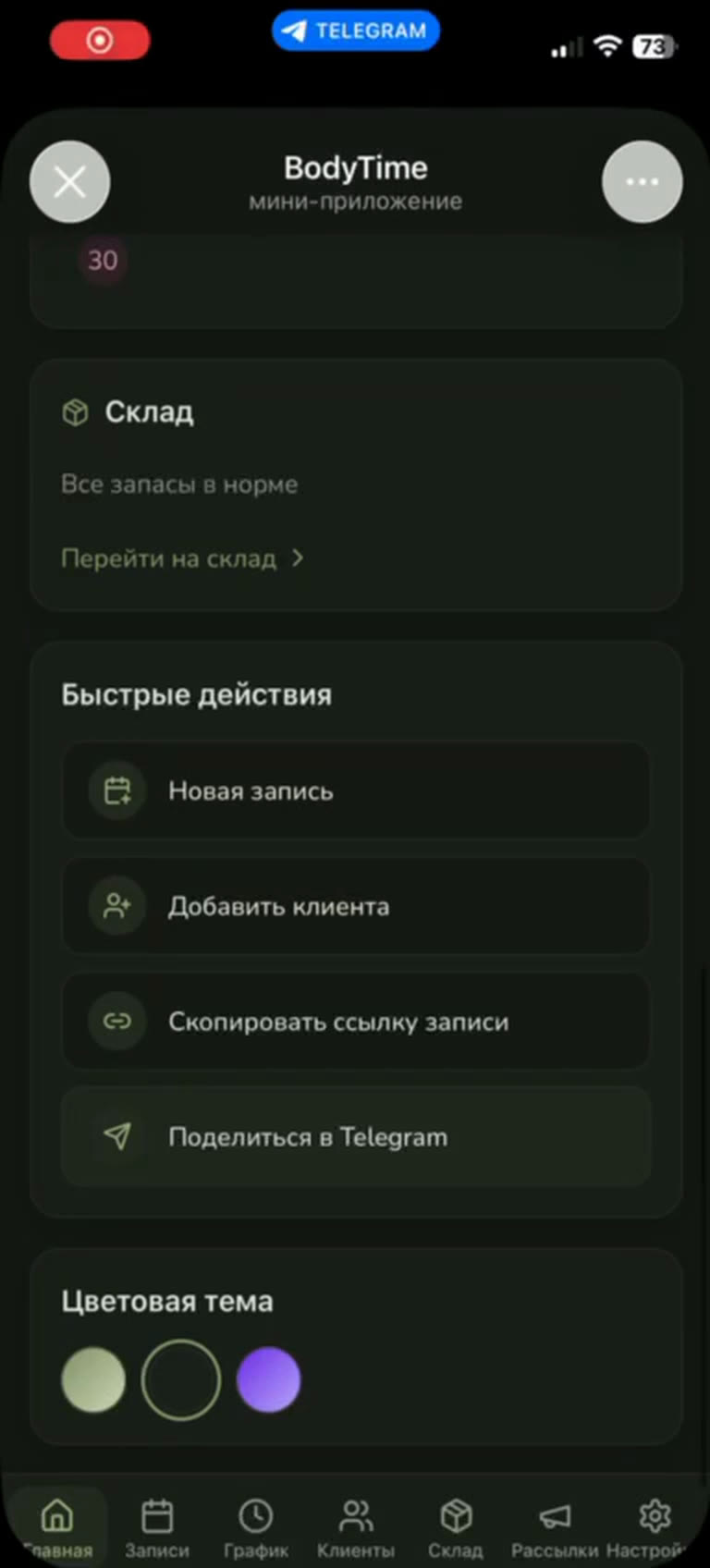
The home screen shows how many clients are in the base and how many are new this month, how many bookings there are today and how many are done, monthly revenue and the average ticket. Below — today's and tomorrow's bookings, quick actions and stock status.

  • clients, today's bookings, revenue and average ticket
  • quick actions: new booking, new client, booking link
  • light and dark themes, 3 colour schemes
Practitioner home screen: clients, today's bookings, revenue and average ticket
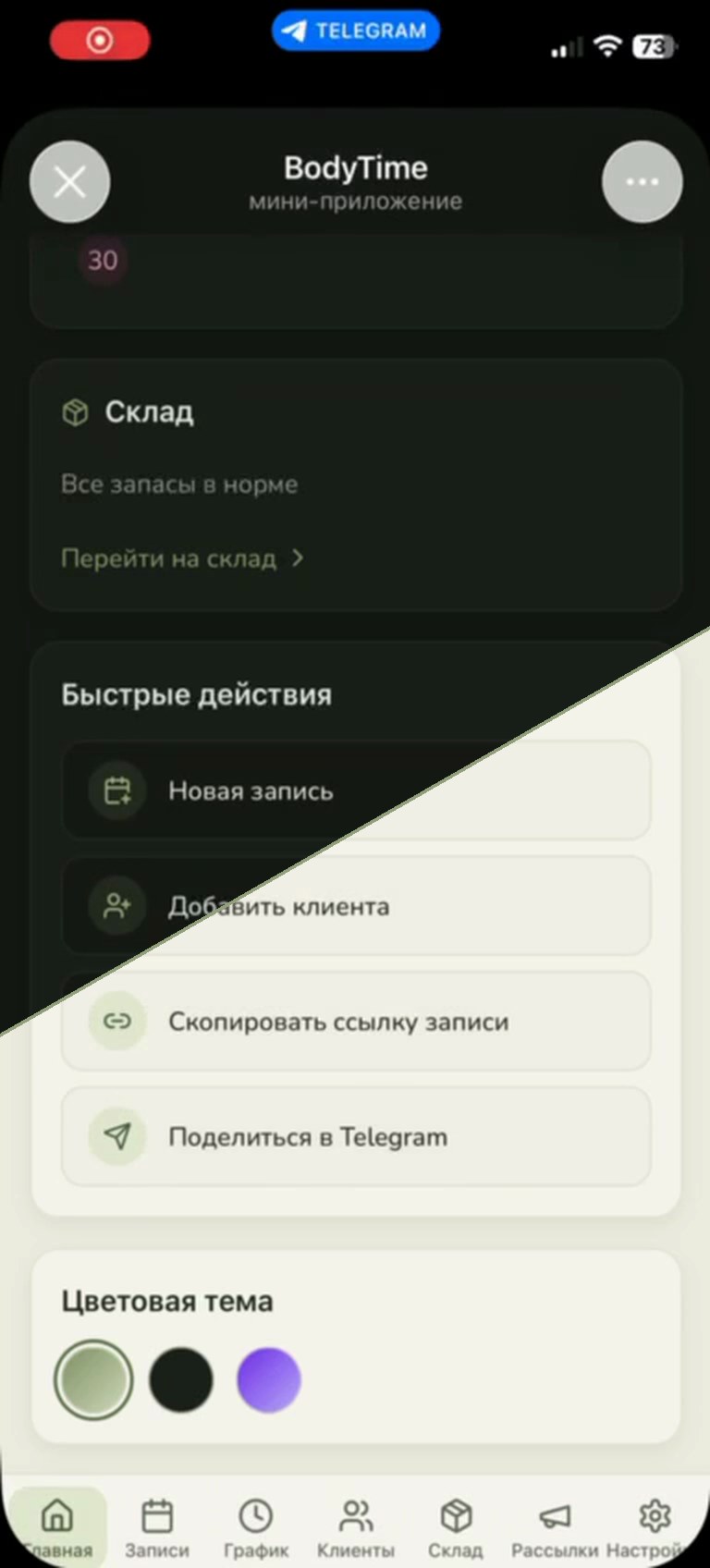
Colour themes

Dark, light — and three colour schemes

The theme and colour scheme are picked right on the home screen in one tap. If the practitioner hasn't chosen one, the app follows Telegram's own theme.

  • light and dark themes
  • 3 colour schemes to choose from
  • follows Telegram by default
Practitioner home screen: half in the dark theme, half in the light one
Appointments

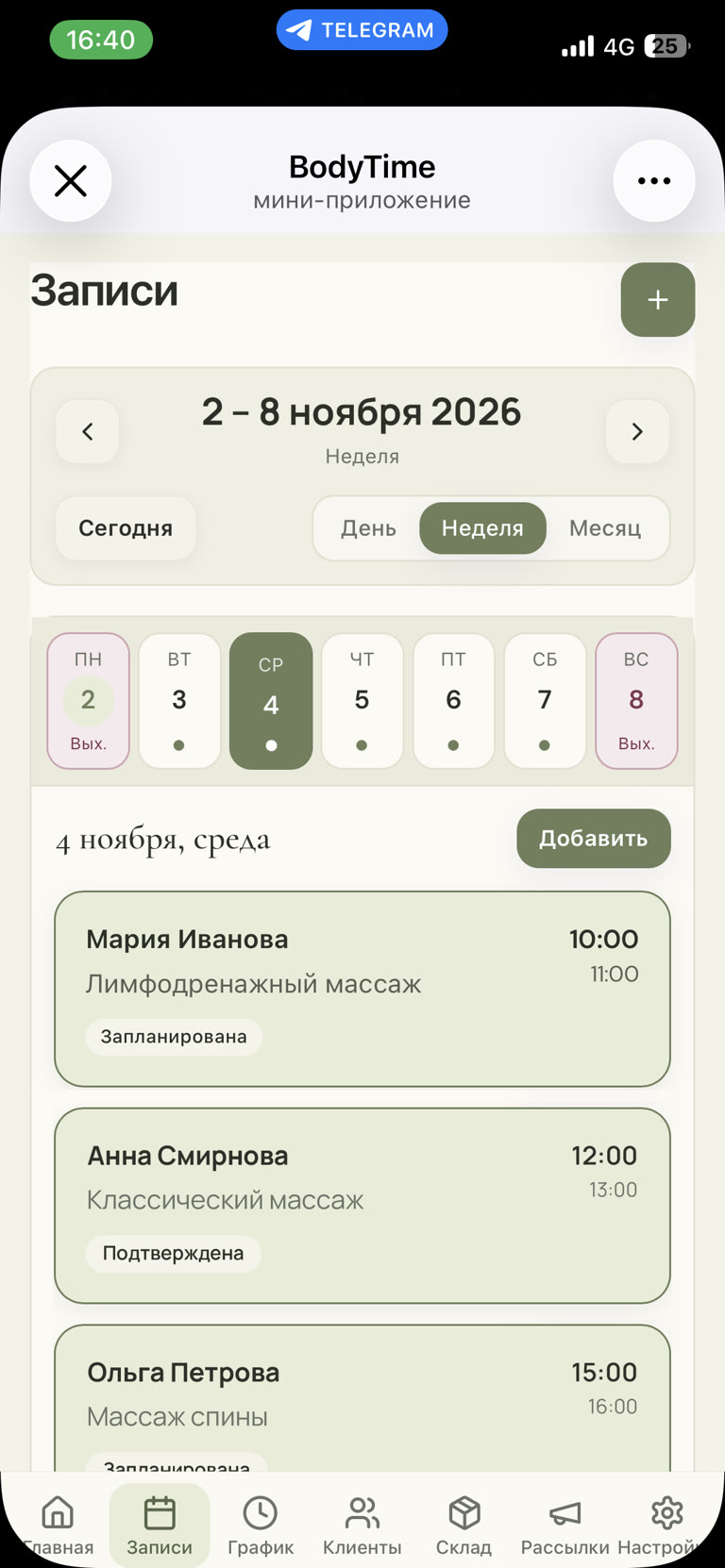
The week on one screen

Bookings can be viewed by day, week or month. Days off are highlighted, a dot under a date means there are bookings that day, and each card shows the client, service, time and status: scheduled or confirmed.

  • Day, Week and Month views
  • days off and busy days visible at a glance
  • booking statuses and “Add” for any day
Practitioner's weekly appointments: busy days and visit cards
Schedule

Reconfigure any day in a couple of taps

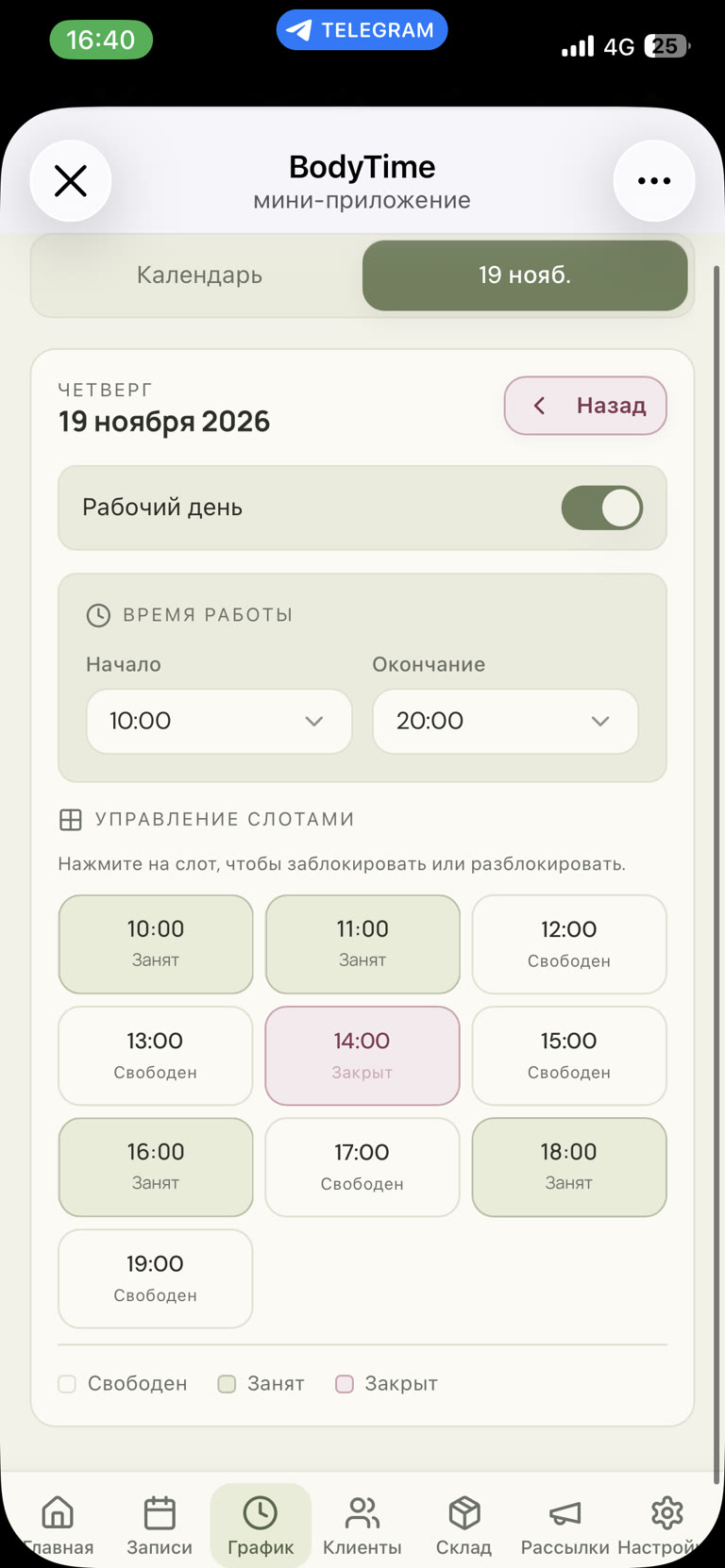
Each day has its own mode: working or day off, with its own start and end time. Slots show as free, booked or closed: any free one can be closed with one tap — say, for lunch — and clients simply won't see that time.

  • “Working day” toggle for any date
  • custom hours for a specific day
  • close or reopen a slot with one tap
Working day settings: hours and slot management
Invite in a chat

The booking link arrives as a card right in the chat

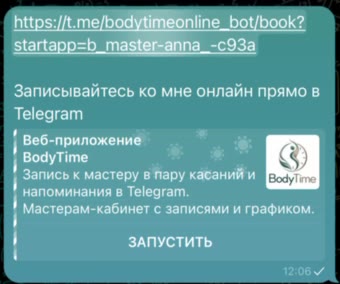
“Share in Telegram” sends the client a Mini App card with a “Launch” button. One tap opens this practitioner's booking page without leaving the chat.

  • send to any chat in one tap
  • copy the link for a profile bio and social media
  • booking opens inside Telegram
Telegram message with a booking link and a “Launch” button
Client booking · step 1

Service, day, time — no sign-up

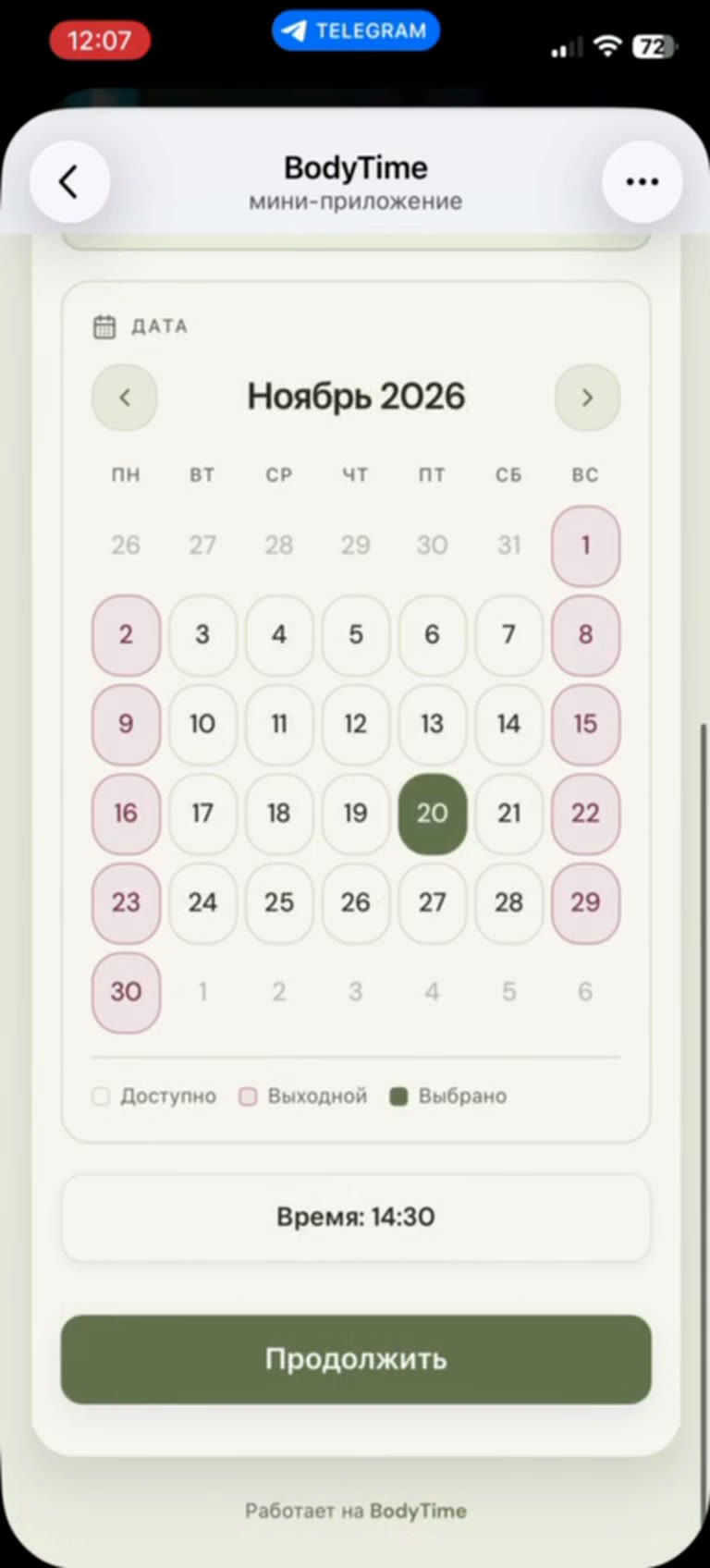
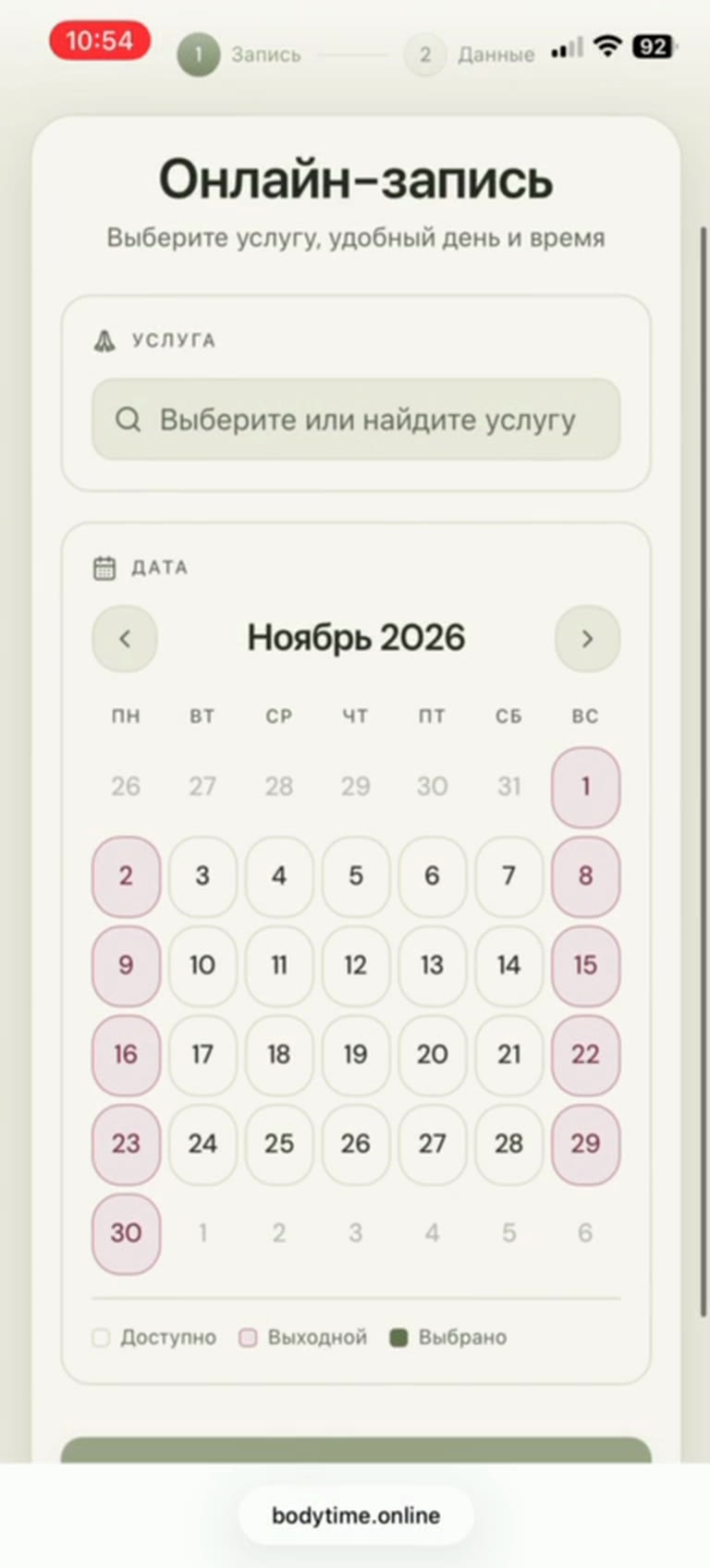
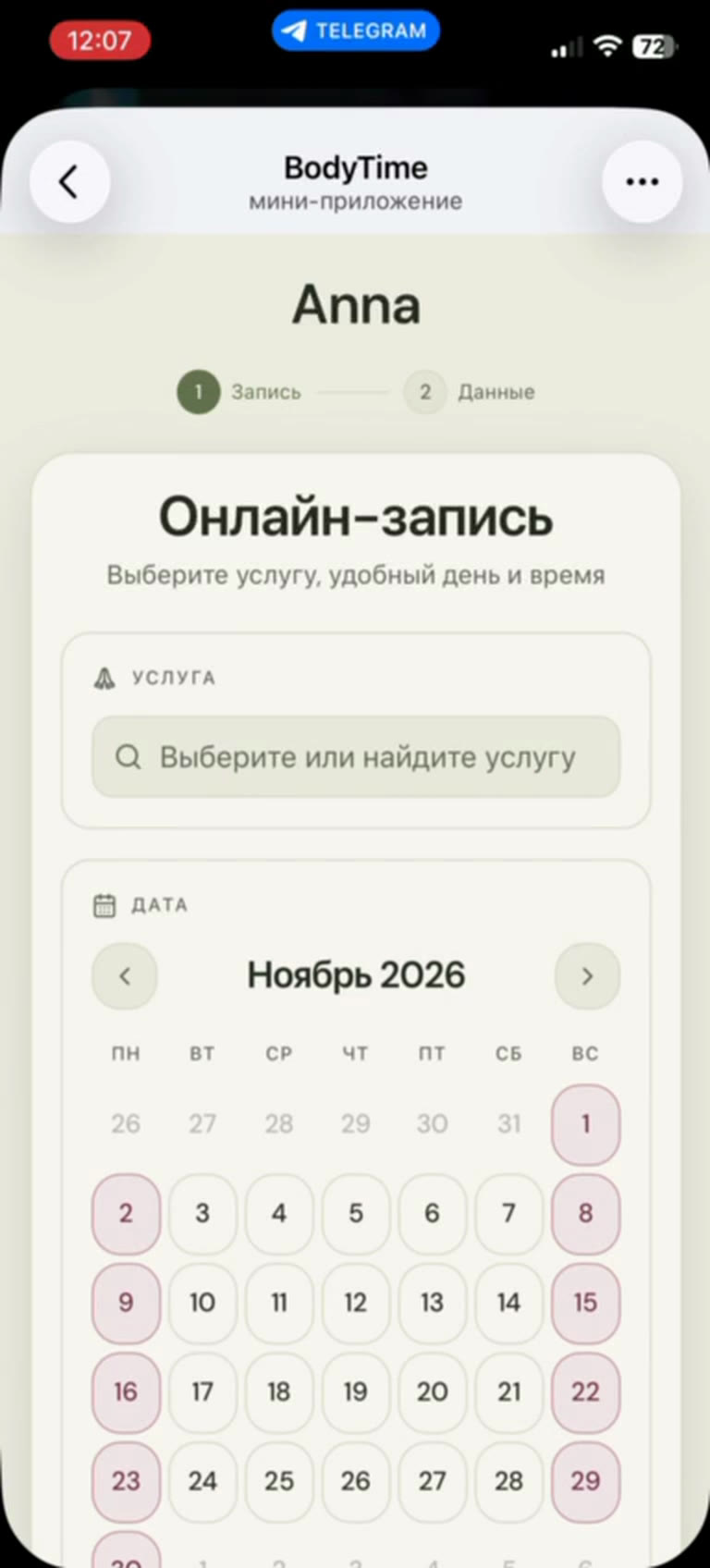
The client opens the practitioner's page right inside Telegram, searches for a service and picks a day in the calendar. Days off and busy days are marked, and only free slots are shown for the chosen day — double booking can't happen.

  • service search with price and duration
  • calendar: available, days off and the selected day
  • only free time from the practitioner's schedule
Client booking in Telegram: choosing date and time
Client booking · step 2

A name and a phone — and it's booked

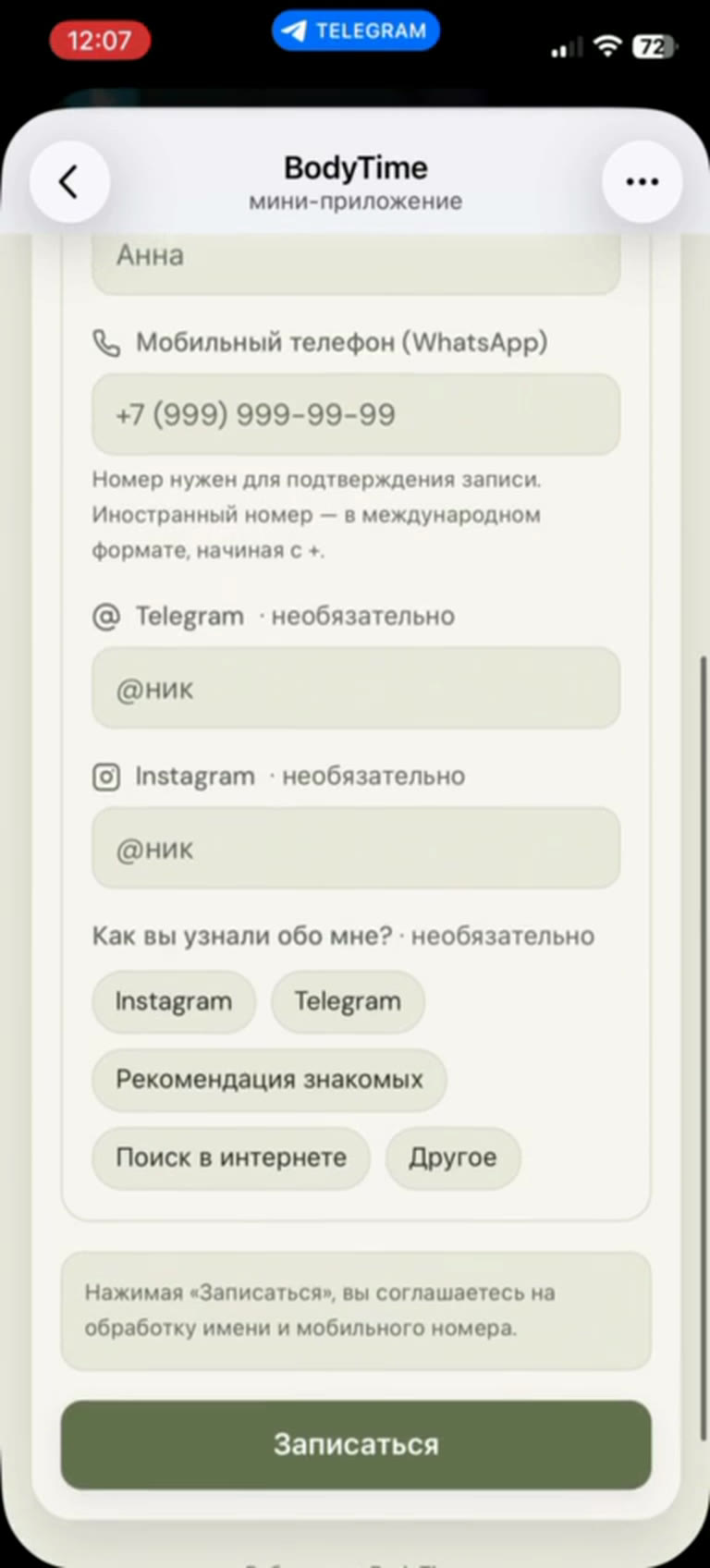
The client leaves a name and phone, with Telegram and Instagram optional. “How did you hear about me?” shows the practitioner where clients come from. The practitioner is notified of the new booking instantly.

  • only name and phone are required
  • “How did you hear about me?” — the client's source
  • client cancellation up to a deadline the practitioner sets
Client details form and the “Book” button
Not just Telegram

The same link works in a regular browser

If a client comes from Instagram or a link in a message, the booking page opens on the website — with the same calendar and the same steps.

  • one link for Telegram, social media and messengers
  • works on phone and desktop
  • bookings from the browser and Telegram land in one calendar
Online booking page in a browser
Client base

Every client at hand between sessions

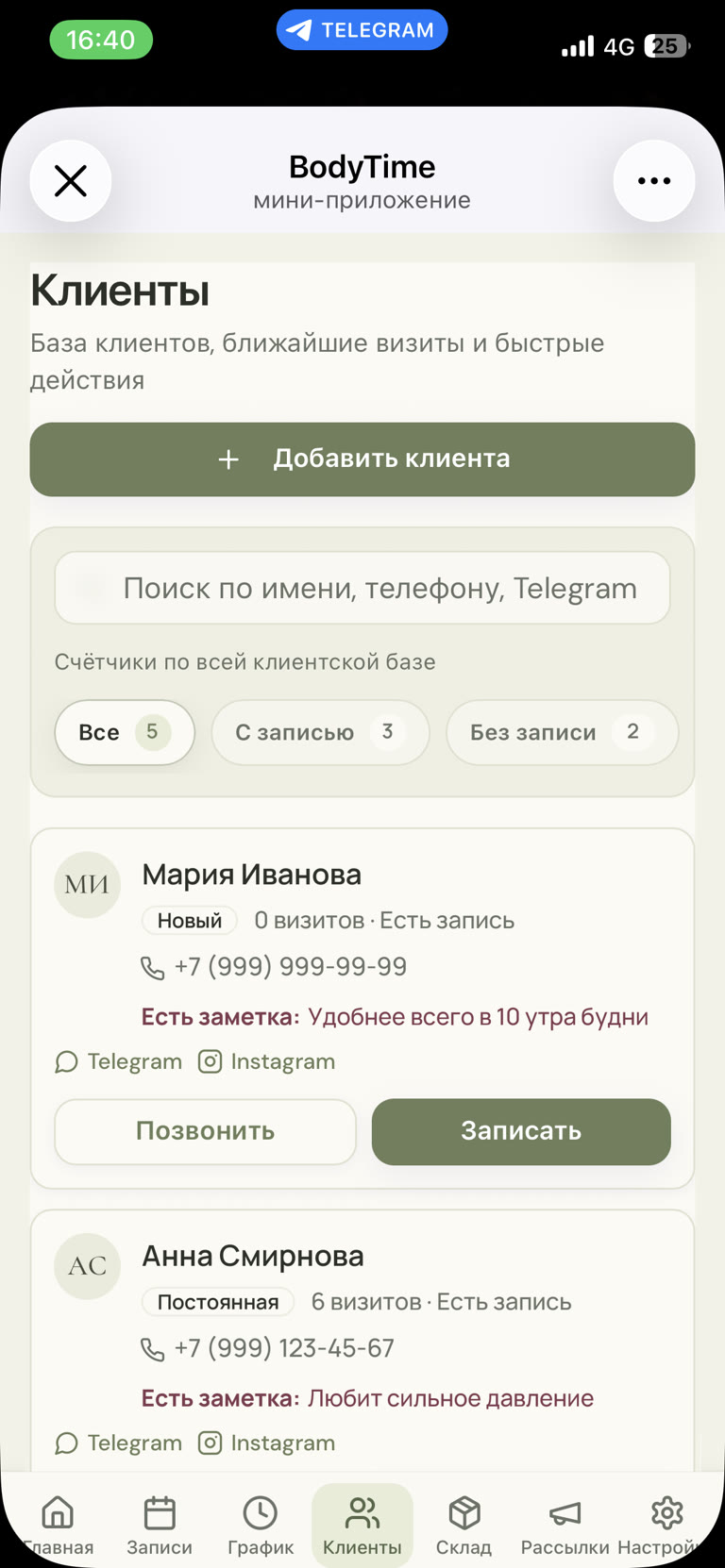
Search by name, phone, Telegram or Instagram, with “Booked” and “Not booked” counters — so you know whom to message to fill empty slots. Visit counts and the practitioner's notes — “likes firm pressure”, “prefers 10 am” — show right in the list, and calling or booking a client takes one tap.

  • new / returning status and visit count
  • client notes always visible
  • “Call” and “Book” buttons, Telegram and Instagram links
Client list in the Mini App: search, counters, a note and quick actions
Body map

Where it hurts, where it's tight, what not to touch

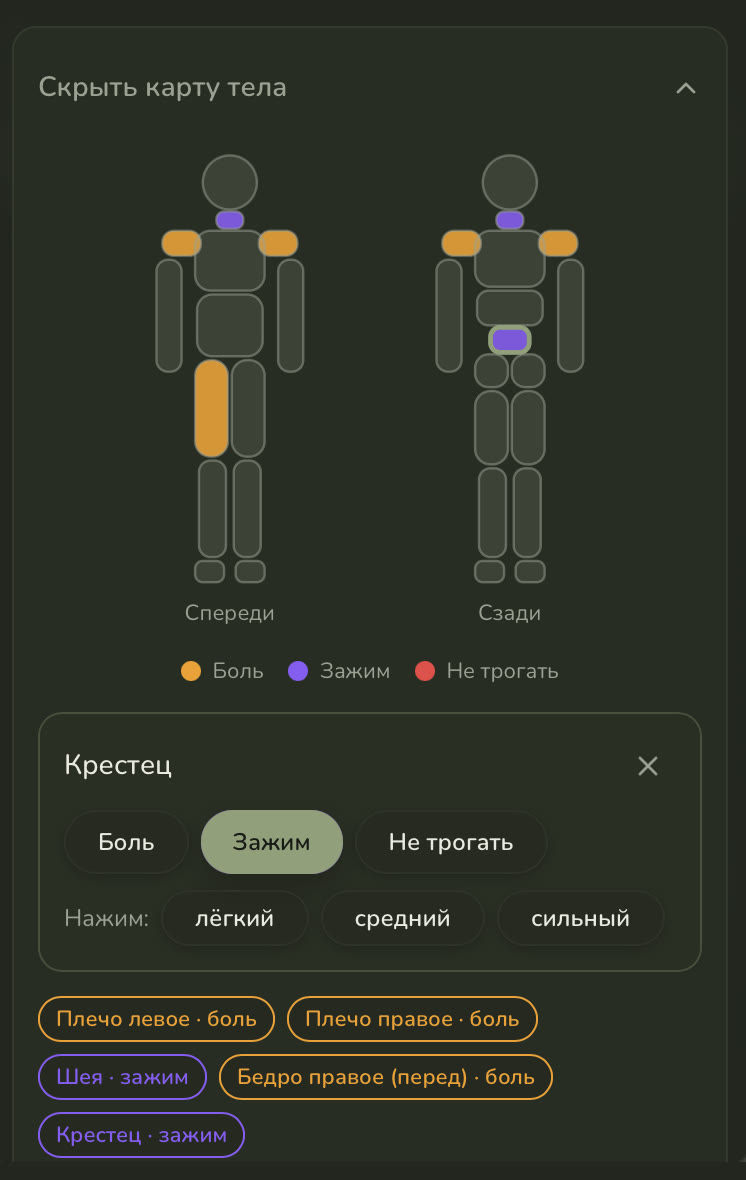
The client profile has a front and back body map. The practitioner taps a zone and marks pain, tension or “do not touch”, plus a comfortable pressure for that zone. Before the next session everything is clear at a glance, even if the client hasn't been in for months.

  • front and back zones: neck, shoulders, sacrum, thighs and more
  • marks: pain, tension, do not touch — colour-coded
  • pressure per zone: light, medium, firm
Client body map: marked pain and tension zones and pressure choice
Your own Telegram audience

Clients subscribe to the bot — and the practitioner can reach them directly

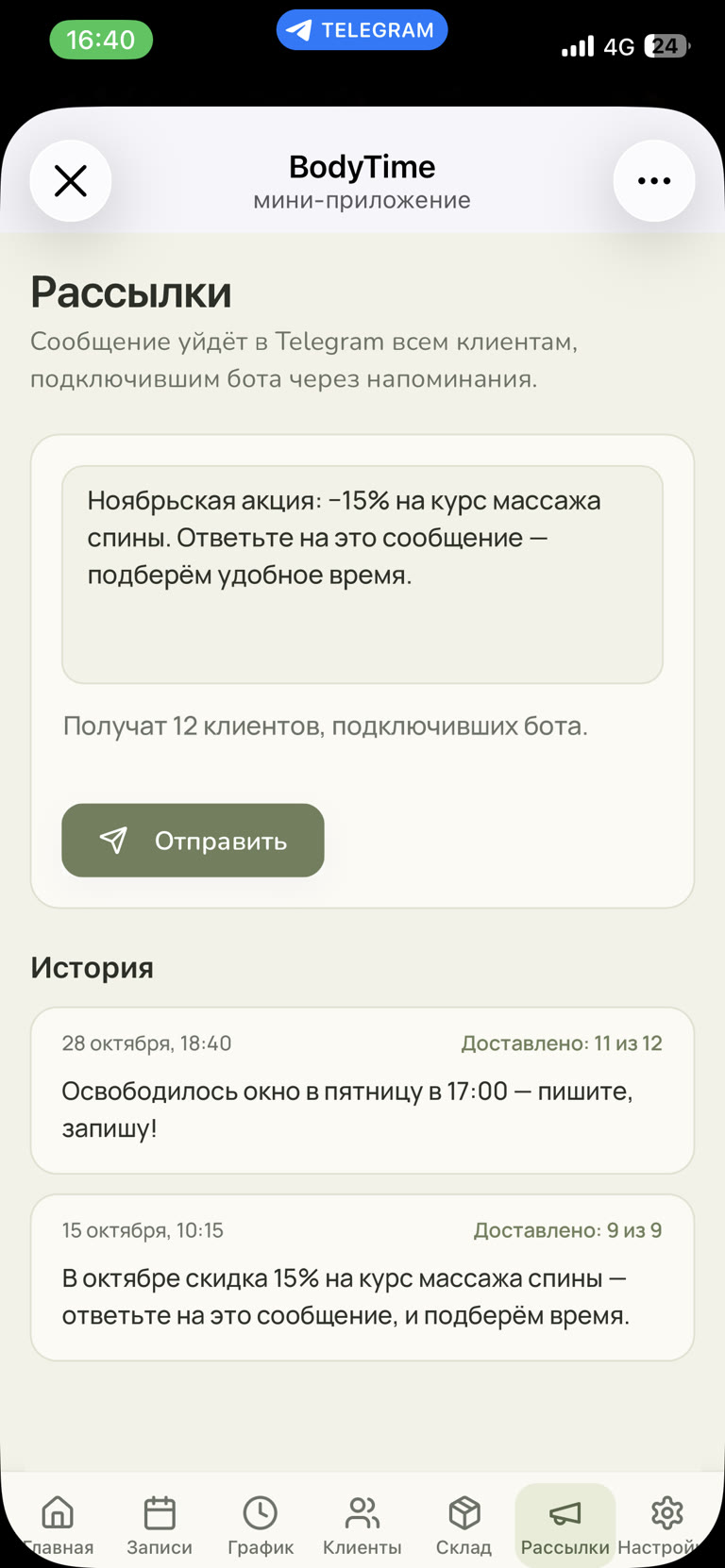
After booking, the client turns on Telegram reminders with one button. That quietly builds the practitioner's own client base in Telegram, and the “Broadcasts” section sends them an offer: a discount, a free slot or a new service. The history shows how many clients each broadcast reached.

  • the base grows with every booking — no channel, no manual contact collection
  • recipients and broadcast history with delivery counts
  • offers, free slots, win-back reminders
Telegram broadcast to clients: offer text, recipients and history
What was built

A live product in two markets — website and Mini App

Telegram Mini App

Practitioner workspace, client booking, “My appointments” and sign-up — inside Telegram, with native Back button, haptics and Telegram theme.

Roles from the Telegram account

Practitioner and client open the same app and each sees their own — authorized by Telegram data, no passwords.

Guided onboarding

Email-code sign-up and three guided onboarding steps: from first launch to a client booking link in under 2 minutes.

Notifications and reminders

Practitioners get new-booking alerts in the same bot; clients get confirmations and a reminder the day before. Clients who connected the bot can receive offers by broadcast.

Two markets, one codebase

BodyTime for Russia and Massiko worldwide — each with its own language, currency, bot and payment provider.

Stack

Telegram Mini Apps and Bot API, React (Vite), Bun + Hono, one-time email-code sign-in. The same workspace runs on the website from a computer.

Need booking and a CRM in Telegram for your business?

I'll build a Mini App, CRM or bot around your processes — for a practitioner, salon, studio or school. Describe your task on Telegram and I'll suggest options and an estimate.

Message me on Telegram